

Compare three thinkcar diagnostic tools by the winter checks they support, the information they show, and the limits to confirm before choosing.
As temperatures drop, a dashboard warning or a tire-pressure alert can turn a routine errand into a question about what to do next. A diagnostic scanner can help make that question more specific, but scanners differ in the systems they cover, the way they connect, and the work they are designed to support.
We reviewed the product information on thinkcar’s US store for three options: the MUCAR X93, the THINKSCAN 673BT, and the THINKCAR VT679. This guide is based on those listings, not hands-on use. Before choosing, the key is to match the tool to your vehicle and the task you actually expect to perform.
Some links in this article are affiliate links: if you make a purchase through them, we may receive a small commission.
Highlights
- MUCAR X93 is the tablet-style pick, listing topology mapping, AI diagnostic assistance, bidirectional control, ECU coding, and more than 41 service functions.
- THINKSCAN 673BT lists full-system scans, supported active tests, 28 service functions, AI guidance, Bluetooth, a 7-inch display, and CAN FD and DoIP support; confirm vehicle fit.
- THINKCAR VT679 is focused on tire pressure monitoring work, rather than broad diagnostics across every vehicle system.
- For winter preparation, check the product page for the exact year, make, model, and task your car requires.
Start with the winter task, not the tool format
Winter driving puts attention on a few practical systems: tires, battery performance, engine warnings, and scheduled service. A scanner can read information from electronic systems, and some models offer commands or reset functions, but that does not make every tool suitable for every repair. A tire-pressure monitoring tool and a full-system diagnostic tablet solve different problems.
First decide whether you want to read a warning, inspect multiple modules, carry out a supported service reset, or work with tire-pressure sensors. That distinction narrows the range quickly. The thinkcar catalog includes different device types and capabilities, so a feature count alone is a poor way to choose. A winter checklist can be a helpful starting point, but the vehicle’s owner manual remains the reference for safe maintenance.
- Write down the exact warning light or maintenance task you want to investigate.
- Confirm the car’s year, make, model, and, where relevant, trim or engine.
- Check whether the tool reads the relevant system or supports the required service function.
- Separate diagnosis from repair: a code can point toward an issue without proving its cause.
1. MUCAR X93 – for broader system checks
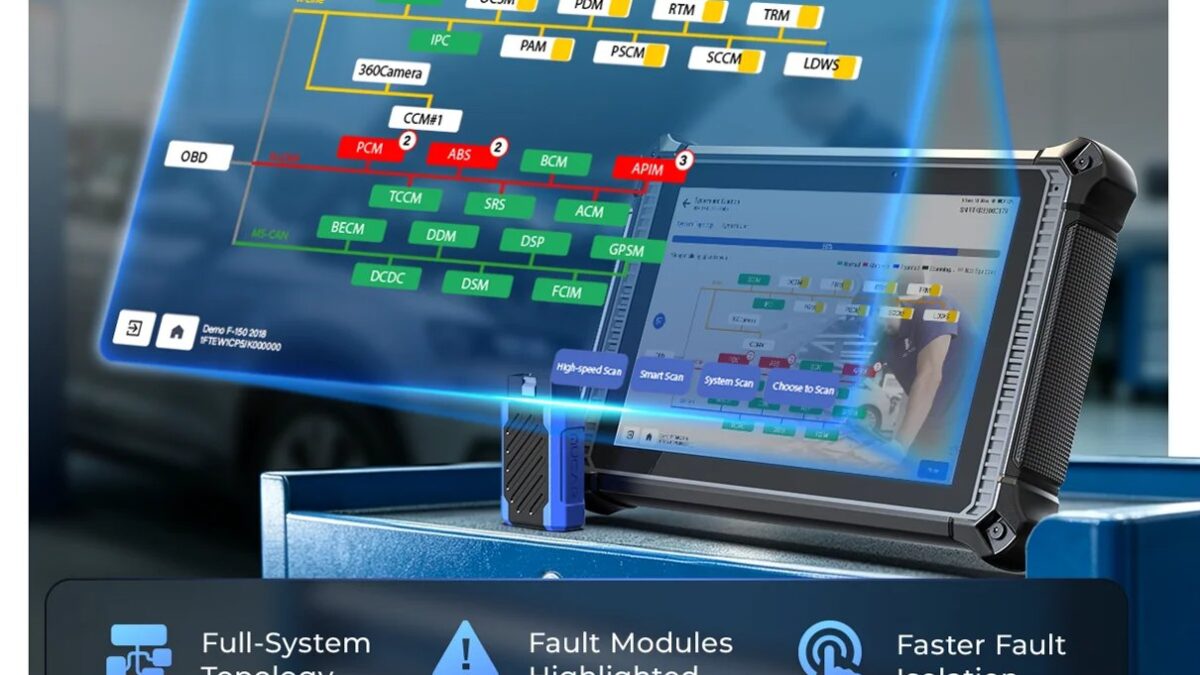
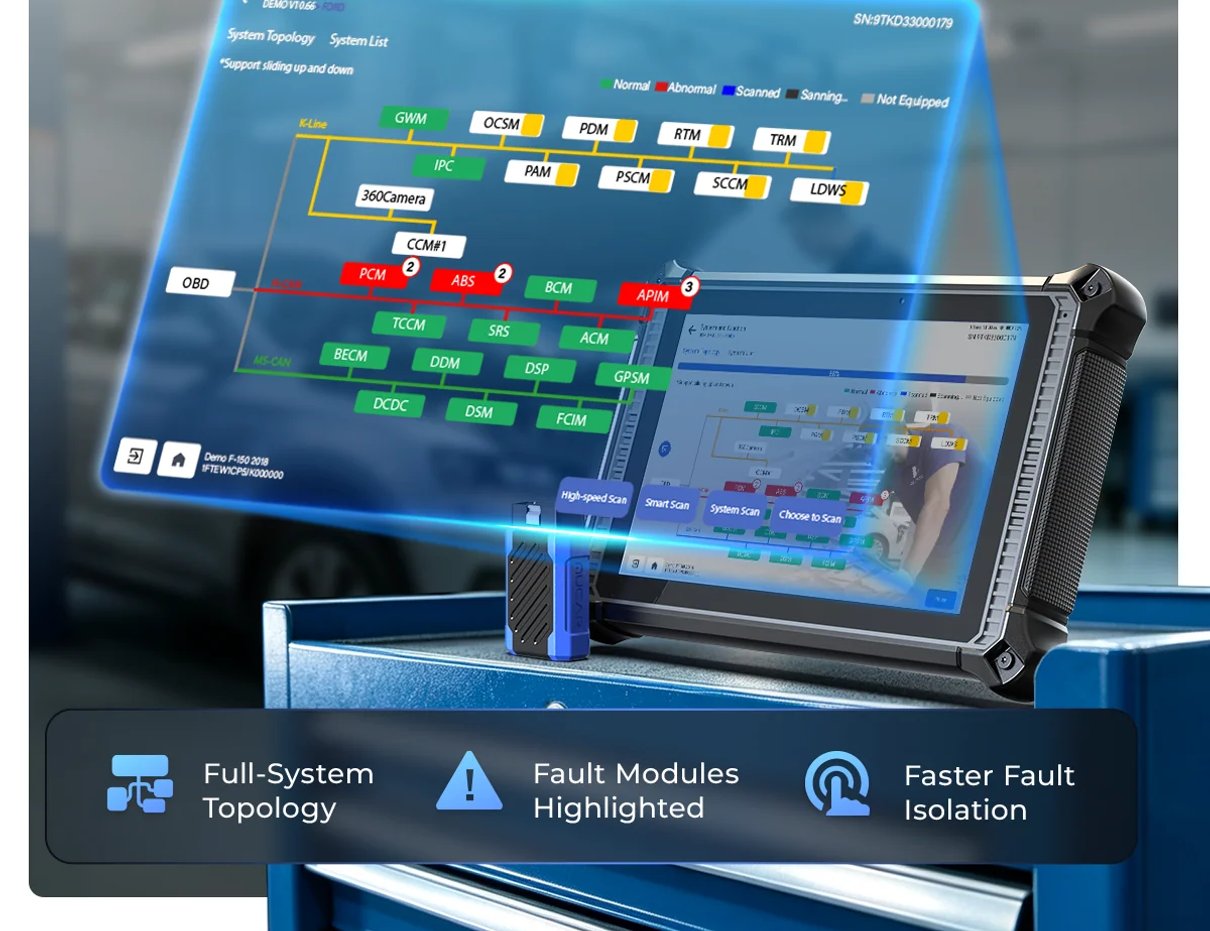
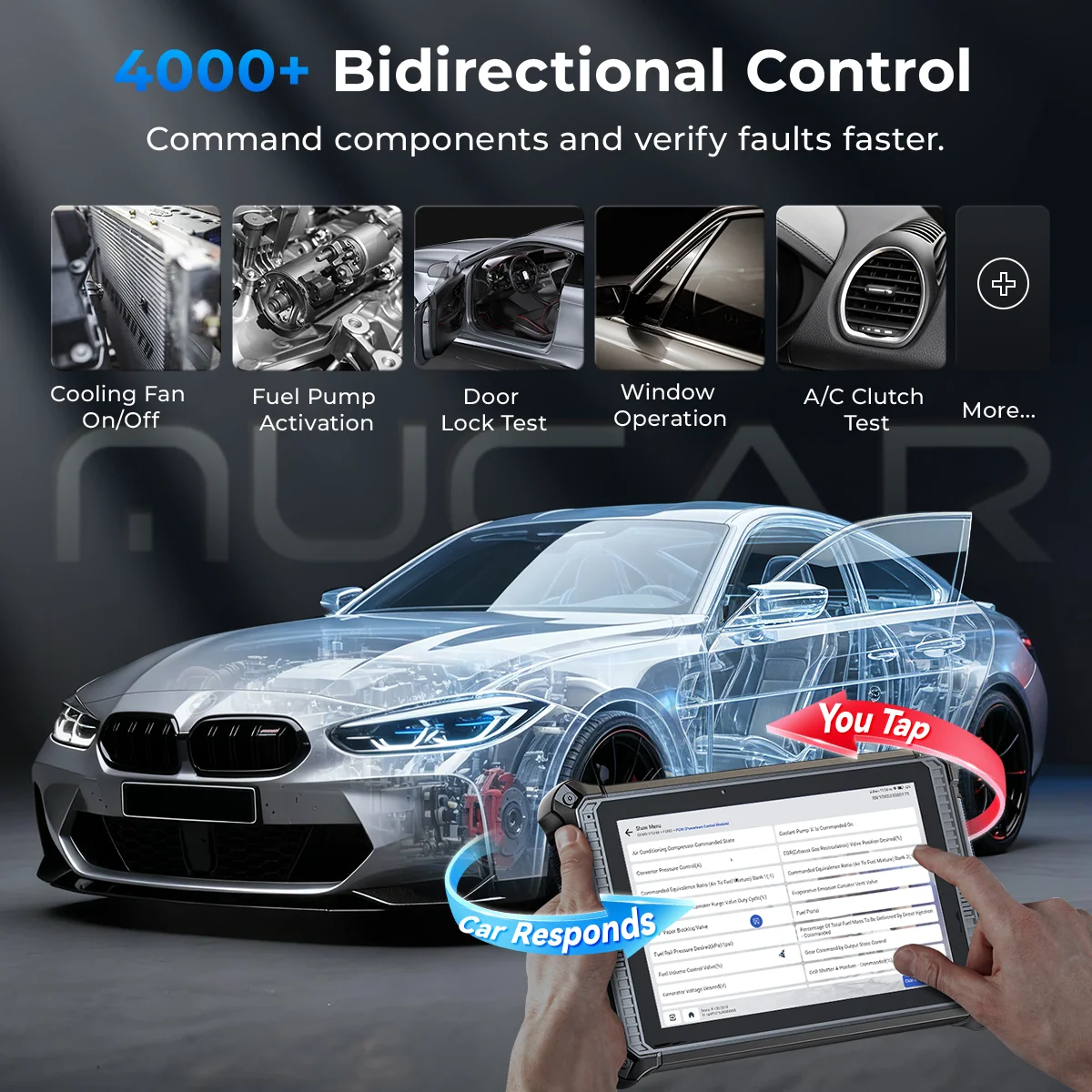
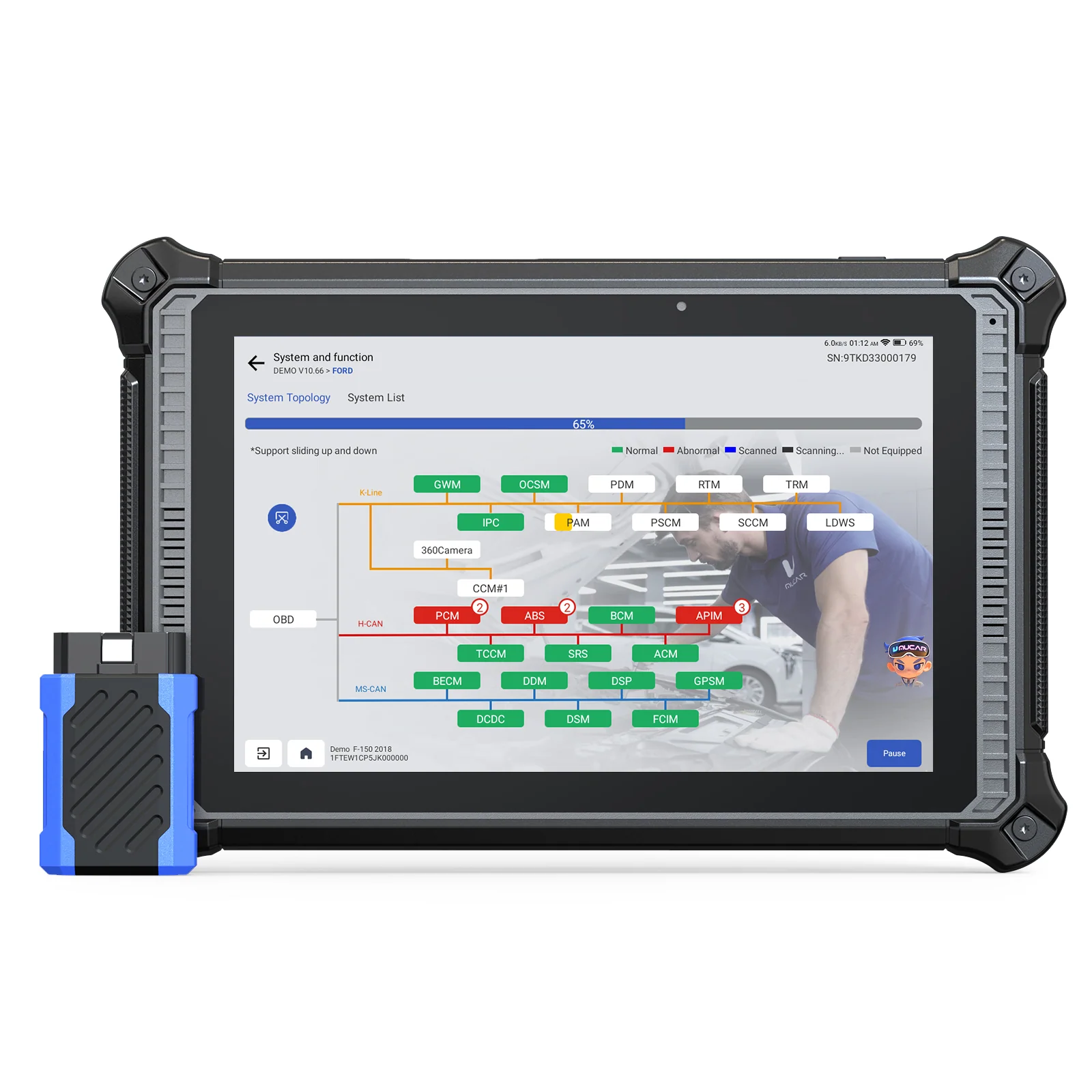
The MUCAR X93 is the strongest fit of these three when the goal is a wider view of vehicle electronics. The store describes topology mapping, AI diagnostic assistance, bidirectional control, ECU coding, and more than 41 service functions. A tablet interface may be easier to navigate when you are reviewing several modules than a small handheld display, although the listing does not establish that every feature works on every vehicle.
That breadth is relevant when a winter warning is not obviously tied to one system, or when routine service involves supported resets. The important qualifier is vehicle-dependent coverage: functions can vary by make, model, year, and system. Check the listing’s compatibility information before treating a named function as available for your car. The X93 is also more capability than needed if you only want a tire-pressure task handled. For that narrower need, check the THINKCAR VT679 TPMS details first.
Read the MUCAR X93 product details for the current feature list and compatibility guidance. It is the option to investigate when breadth matters, while the THINKSCAN 673BT may suit a buyer who prefers a Bluetooth handheld format and a more focused setup.
2. THINKSCAN 673BT – for a Bluetooth handheld format
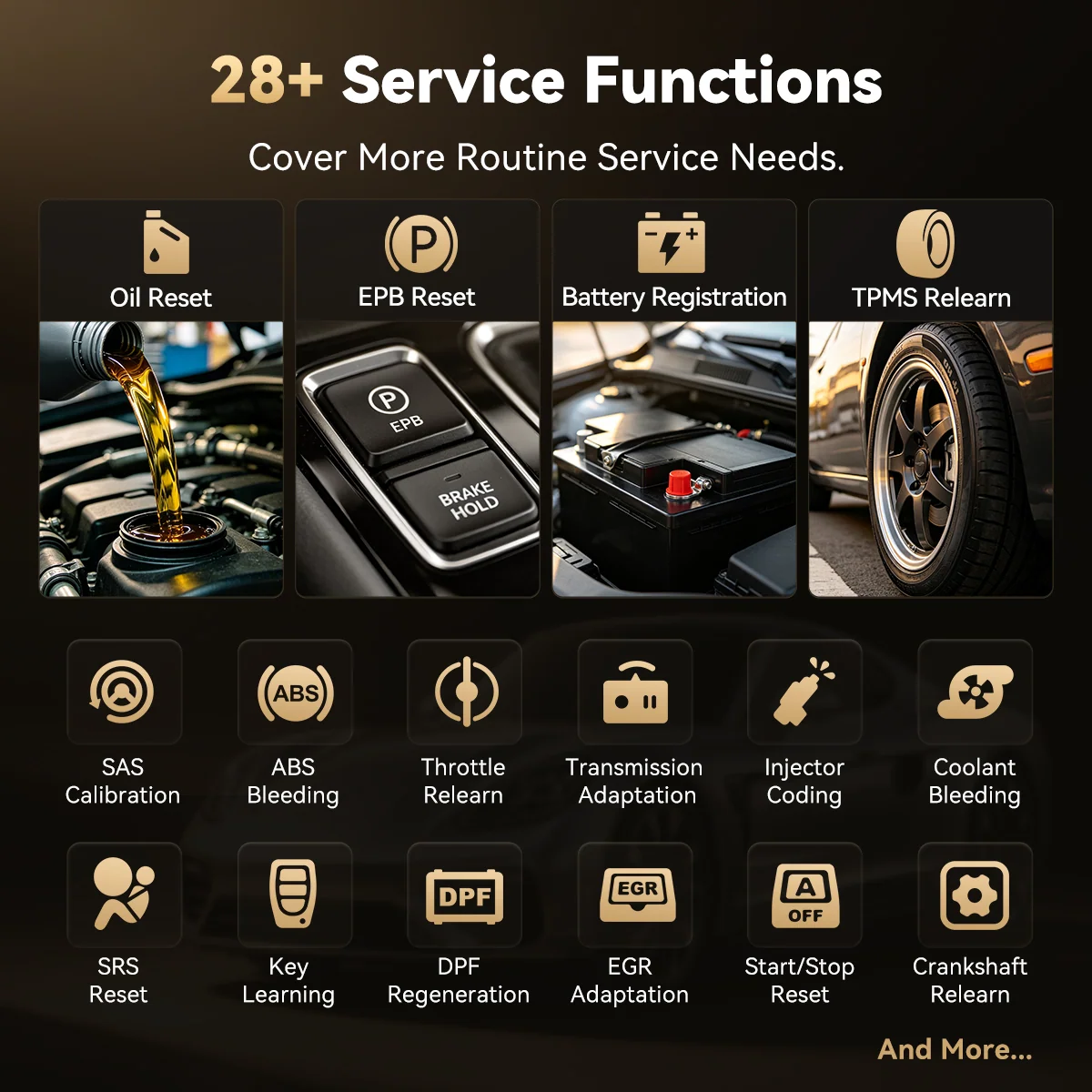
The THINKSCAN 673BT offers a different physical approach: a handheld device with Bluetooth connectivity. That can be appealing if you want a compact tool rather than a larger tablet. The current product listing names full-system scans, supported active tests, 28 service functions, AI guidance, Bluetooth, a 7-inch screen, and CAN FD and DoIP support. It also says updates are free for the life of the tool. Treat these as listed capabilities: vehicle coverage and active tests still depend on the car and supported systems.
For seasonal checks, the combination of a handheld unit and a 7-inch display may suit someone who wants both portability and on-device viewing. The AI guidance is described as likely causes and suggested next checks, so it should be treated as a prompt for investigation rather than a confirmed diagnosis. Confirm whether the specific active test or service routine applies to your car on the 673BT listing.
- Choose it when device size and a handheld format are priorities.
- Check the precise functions on the product page instead of inferring them from the model name.
- Confirm update and connection requirements before a trip or maintenance appointment.
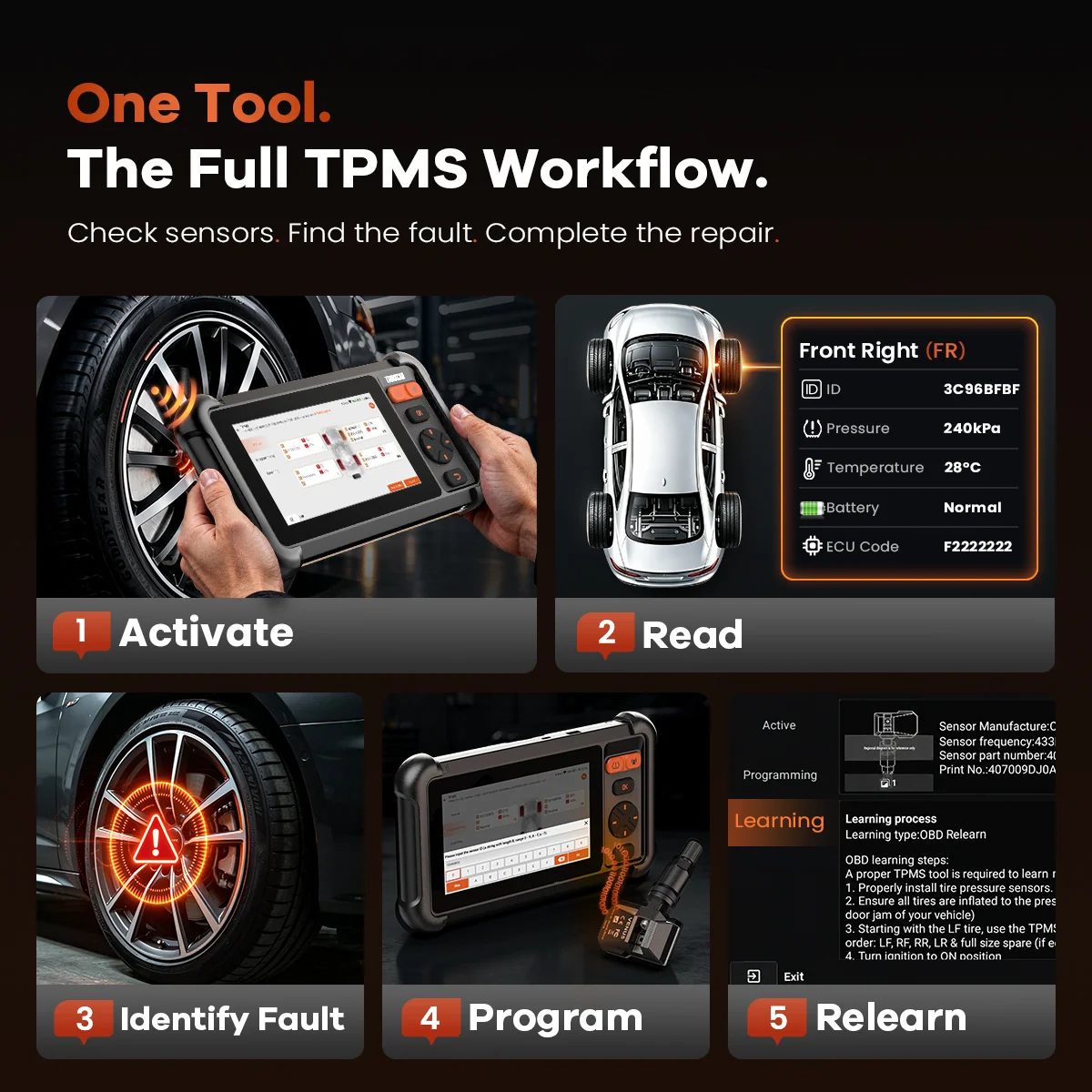
The THINKSCAN 673BT listing is where to confirm vehicle coverage and any function conditions. If tire pressure monitoring is a priority, compare it with the THINKCAR VT679, whose listing adds TPMS activation, reading, programming, and relearning alongside broader diagnostic functions.
3. THINKCAR VT679 – for tire pressure monitoring work
The THINKCAR VT679 is especially relevant to a winter checklist because its listing names TPMS activation, reading, programming, and relearning. It also lists full-system diagnostics, live data, 28+ service functions, AutoVIN, OE query, and CAN FD support. The store describes it as a TPMS tool with wider diagnostic uses, so it is not limited to tire work.
Its TPMS emphasis is still a consideration: the X93 lists more service functions, while the VT679’s 28+ functions and sensor workflow may be a better match when tire work is central. The store makes a broad vehicle-coverage claim, but that should not replace checking your car and sensor type against current compatibility details. The VT679 listing can be checked beside the X93 feature list for that decision.
Use the VT679 product page to confirm its present scope. For a more general view of vehicle electronics, compare those details with the MUCAR X93 listing rather than expecting one specialized device to cover every diagnostic situation.
How the three options line up
| Product | Best suited to | Key check |
|---|---|---|
| MUCAR X93 | Broader diagnostics and service functions | Vehicle-specific feature support |
| THINKSCAN 673BT | Bluetooth handheld format | Systems, functions, and connection needs |
| THINKCAR VT679 | TPMS service plus broader diagnostics | Sensor and vehicle compatibility |
The comparison is about fit, not a ranking by feature count. The X93 is the broadest named option in the information available to us, the 673BT changes the form factor, and the VT679 targets tire pressure monitoring. The right choice depends on whether your winter task is broad code reading, a supported service operation, or tire-system work. Check the current product pages for complete specifications because lineups and supported vehicles can change.
Compatibility checks worth doing before a cold-weather drive
Compatibility determines whether a scanner helps. Compare your vehicle details and exact task with the 673BT compatibility notes and X93 feature information; broad coverage labels do not guarantee every function works on your car.
- Match the vehicle’s year, make, model, and engine to the tool’s compatibility notes.
- Look for the system involved in your issue, such as tire monitoring or a specific control module.
- Check whether your planned action is a read-only scan, a reset, or an active command.
- For an urgent warning, consult a qualified technician instead of treating a scanner result as a repair diagnosis.
This is especially useful before a long winter drive: reviewing compatibility at home is easier than discovering a limitation roadside. The MUCAR X93 page, THINKSCAN 673BT page, and VT679 page should be checked individually because they serve different tasks. Keep the vehicle manual available as well; diagnostic data is one input, not a substitute for manufacturer maintenance guidance. A scanner such as the MUCAR X93 cannot replace a qualified diagnosis.
Questions drivers ask before choosing
Will a scanner tell me exactly what repair to make?
No. A code or scan result helps narrow the next check, but it does not prove the cause or confirm a repair. The 673BT listing describes AI guidance as likely causes and suggested next checks, which still need vehicle context and sound diagnosis.
How do I check compatibility?
Use your exact year, make, model, and system details with the X93 compatibility information, 673BT listing, or VT679 product details. Confirm the specific function and sensor type, not just the general tool category.
When does a TPMS tool make sense?
Choose the VT679 when TPMS activation, reading, programming, or relearning is part of your task. For a warning in another system, first confirm the scanner supports that module and the vehicle.
Where thinkcar fits well
- Choice of formats: the listed tools include a tablet, a Bluetooth handheld, and a TPMS-focused device.
- Task-based options: the range lets shoppers start with broad diagnostics or a narrower tire-system need.
- Useful named functions: the X93 listing specifies topology mapping, bidirectional control, coding, and service functions.
Limits to keep in view
- Coverage varies: confirm that your specific car supports the function you want.
- Codes need context: a scan result can guide follow-up, but it does not establish a repair by itself.
- Specialists stay specialized: a TPMS tool is not automatically a broad system scanner.
Which thinkcar scanner makes sense for winter checks?
For one tool aimed at broader checks, we would start with the MUCAR X93 because its listing names the widest set of functions in this group. Choose the THINKSCAN 673BT if a Bluetooth handheld format is more important and its confirmed coverage matches your needs. Consider the THINKCAR VT679 when the job is specifically tire pressure monitoring.
The limitation is that product descriptions cannot confirm compatibility for your particular vehicle or diagnose a fault. Check the current US listings against your car and intended task, then seek qualified service when a warning concerns safety or the underlying cause is unclear.
Winter Car Scanner Guide: Compare Three thinkcar Tools for Seasonal Checks
